



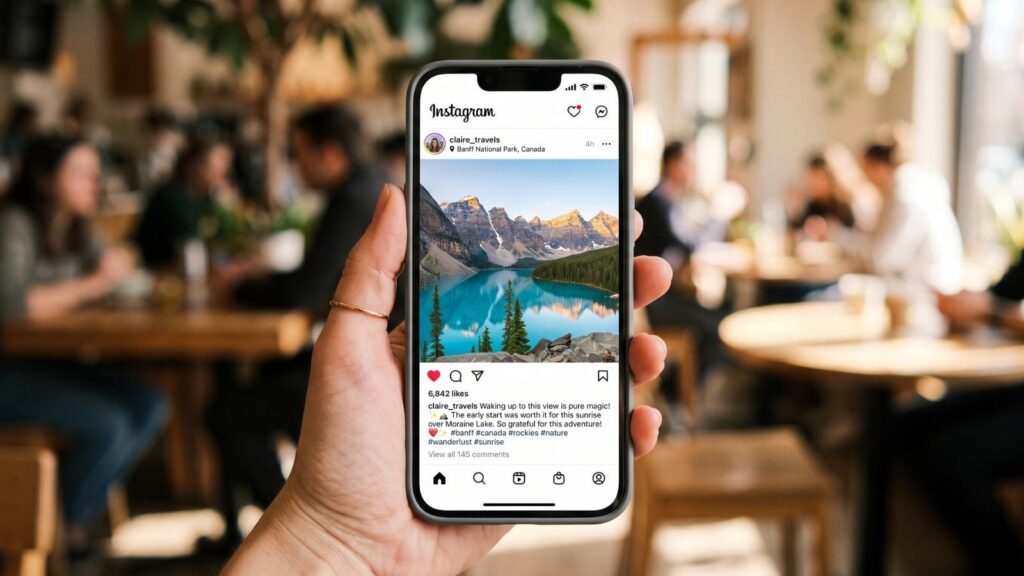
You paused on a post for three seconds longer than usual. Instagram noticed. You skipped four stories in a row and watched the fifth twice. Instagram noticed that too.
This is not a privacy scare piece. Instagram is not listening through your microphone, and the “they heard me talking about shoes” theory falls apart the moment you look at what the app already collects without needing your audio.
The reality is stranger and more mundane: Instagram knows what you engage with well enough that it doesn’t need to eavesdrop.
Here’s what we’ll cover:
- Every behavioral signal Instagram collects on you
- How those signals decide what lands in your feed, stories, and Explore page
- What other users can see about you versus what stays private
- How to read someone’s public activity without the guesswork
- Settings that meaningfully reduce what you leak
Recently-Followed works on the public half of this equation. Instagram already shows who follows whom. We just organize it so you can read it.
The Signals Instagram Tracks on Every User
Instagram runs multiple AI-driven ranking systems, one for each surface of the app: Feed, Reels, Stories, and Explore. Each surface makes thousands of predictions about what you’ll engage with next.
Those predictions run on signals. Here’s what feeds them.
Time on post (dwell time)
The quietest signal and one of the strongest. Instagram measures how long a post sits on your screen before you scroll past.
You don’t have to like it. You don’t have to comment. Lingering is the signal. Watch time is the single most important ranking factor across surfaces, and the first three seconds carry disproportionate weight.
What this means for you: the account you’re pretending not to care about, the one whose posts you keep re-reading? Instagram has that on file.
Scroll speed and skip behavior
Skip rate now tracks when viewers swipe away from Reels and how quickly. Same principle applies across the feed.
A fast scroll past a category of content teaches the model to stop showing you that category. A hard stop teaches it the opposite.
Story taps, skips, and rewatches
Every story interaction is logged:
- Tap forward (skip)
- Tap back (rewatch)
- Exit (you left entirely)
- Reply or reaction
- Completion
Stories ranking leans heavily on recency and direct interaction history, which places accounts you DM or reply to most often at the front of your tray.
Profile visits
Every time you open someone’s profile, that visit is recorded. Not shown to them. Recorded.
Profile visit rate has risen fast as a ranking signal on Feed and carousels. When a post pushes someone to tap a handle, the model reads that as a strong vote of confidence.
Your repeated visits to a particular account tell Instagram you care about them, whether or not you ever hit follow. That data shapes your feed, your Explore page, and yes, your suggested accounts.
Search history
Every username, hashtag, and keyword you type into the search bar sits in your account history. Instagram stores it to personalize your content.
Nobody else sees it. We covered this at length in does Instagram notify when you search someone, and the answer stays no. But Instagram sees it, and it acts on it.
DM frequency
Relationship strength is built primarily from direct messages. Mosseri has called sends one of the biggest signals used in ranking, and it works in both directions: who you message shapes what you see, and how often you message someone shapes where their content lands in your feed.
An estimated 694,000 Reels get sent via DM every minute.
Saves and shares
A save tells Instagram content is worth returning to. A send tells it the content is worth recommending to a real person. Both carry far more weight than a like.
Speaking of which: likes were officially down-weighted as a ranking signal in Mosseri’s April 2026 update. The double-tap you’ve been trained to think matters most now matters least.
Location and device data
Data collected includes usage behavior, network connections, and location data. Add device type, browser, OS version, and network provider.
Off-platform activity
The one people forget. Instagram’s in-app browser monitors interactions with external websites. Tap a link inside Instagram and you’re browsing inside Meta’s own browser, not Safari or Firefox.
Instagram tracks activity on other websites to refine its content recommendations. That’s how the “I never mentioned this to anyone” moment happens. You visited a site. The pixel fired. The ad followed.
Signal summary:
| Signal | Collected? | Visible to others? |
|---|---|---|
| Time spent on a post | ✅ | ❌ |
| Scroll speed | ✅ | ❌ |
| Story skips and rewatches | ✅ | ❌ (only that you viewed) |
| Profile visits | ✅ | ❌ |
| Search history | ✅ | ❌ |
| DM frequency | ✅ | ❌ (they see the DM) |
| Saves | ✅ | ❌ |
| Location | ✅ | ❌ |
| In-app browser activity | ✅ | ❌ |
| Who you follow | ✅ | ✅ Public |
| Story views | ✅ | ✅ Visible to creator |
Look at the bottom two rows. Almost everything Instagram collects stays inside Instagram. The exceptions are the things people worry about least.
How Those Signals Shape What You See
Signals in. Predictions out. Here’s the machinery.
Feed ranking
Your feed is sorted by predicted engagement, not by time. The model weighs:
- Relationship strength: how often you interact with the poster through DMs, comments, story replies, and profile visits
- Interest: what you’ve saved, watched to completion, and shared before
- Recency: newer posts get a boost
- Frequency: how often you open the app
Post from someone you message weekly? Top of the feed. Post from someone you followed in 2019 and never interacted with? Buried, if it appears at all.
Story order
The story tray at the top of your app is not chronological, and it never has been.
It ranks on viewing history (do you regularly watch them), engagement history (do you reply or react), and closeness (do you DM, are you connected on Facebook).
Which explains the eternal question about why the same person always sits first. It reflects your behavior, not theirs. We broke this down fully in the Instagram story viewer order explainer.
Explore page
Explore is almost entirely non-followed accounts, so the AI leans hard on past behavior. Engagement velocity and interest matching drive it.
The uncomfortable truth about Explore: it’s the most honest mirror on the app. Your feed shows you what you chose. Explore shows you what the model thinks you actually want. Those two things are frequently not the same.
Suggested accounts
The system pulls from mutual followers, contact syncing, shared Facebook connections, and behavioral overlap.
This is where “I searched them once and now they’re suggested to me” comes from. One search doesn’t do it. One search plus twelve profile visits plus four mutual friends plus a synced contact list absolutely does.
Ads
Instagram generated massive advertising revenue on the back of exactly this prediction engine, and Apple’s App Tracking Transparency reportedly cost Meta around $10 billion a year when it cut off some of that off-platform signal.
That number tells you how valuable behavioral data is. Losing part of it cost more than most companies earn.
What Instagram Shares With Other Users
Here’s the section that actually matters for most people, since almost all the anxiety on this topic lives in the wrong place.
Public by default
| What’s visible to anyone | Where |
|---|---|
| Who you follow | Following list |
| Who follows you | Follower list |
| Your posts, Reels, and captions | Grid |
| Your likes on public posts | Visible on the post |
| Your comments | Public thread |
| Your bio and profile picture | Profile |
| Your tagged photos | Tagged tab |
Your following list is public data. It updates in real time. It’s the single most revealing public signal on the platform, and almost nobody thinks about it.
Visible only to the creator
- Story views: your username on their viewer list, for 48 hours
- DMs you send: obviously
- Story replies and reactions
- Activity status: your “last active” time, if you have it enabled
Private to you, always
- Search history
- Profile visits
- Time spent on posts
- Saved posts
- Screenshots of regular posts (no notification)
- Who you’ve blocked or muted
- Close Friends membership (they see the green ring, not the list)
The gap worth noticing: Instagram collects the most sensitive data (dwell time, search history, profile visits) and shares almost none of it. What it does share publicly (your following list) is the thing you’ve never once thought to protect.
How to Read Someone’s Public Activity
Once you know what’s public, the guesswork stops.
You cannot see what someone searched. You cannot see whose profile they visited. No app can, and any service claiming otherwise is a scam built to harvest your password.
What you can see is who they follow, and when they started following them.
That single data point carries more information than people expect:
- A cluster of new follows in one week usually means a life change. New job, new city, new relationship, new interest.
- Follows in an unfamiliar category signal an interest they haven’t mentioned.
- A follow that appears and disappears is its own kind of story.
- Competitors following micro-influencers is a campaign forming in public.
The problem is that Instagram gives you no timestamps and no sorting. The following list appears in an order that seems random until you know how Instagram sorts the following list, and even then, you’re squinting.
Recently-Followed handles the sorting for you. Enter any public username and see their recent follows in chronological order. No login on your end. No notification on theirs. Nothing to explain.
It works on public data that was already sitting there. We just made it readable. If you want the full method, our guide on how to find out who someone recently followed walks through it step by step.
Pro tip: repeatedly opening someone’s profile in the app builds exactly the behavioral profile you’d rather not build. Checking their follow-through a tool instead means you never open their page at all. Fewer profile visits logged, fewer suggested-account surprises later.
How to Limit What Instagram Shares About You
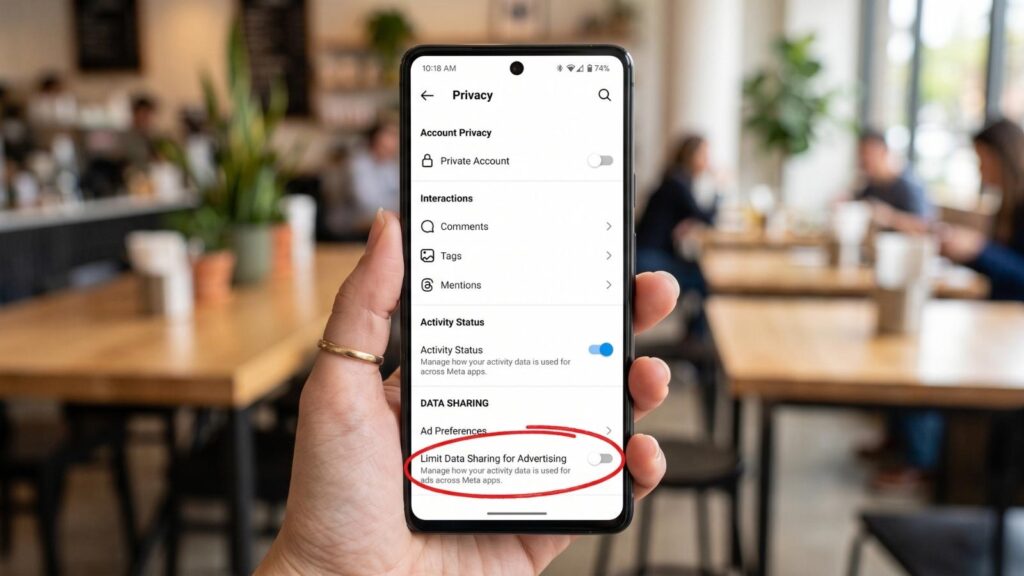
Concrete settings, in rough order of impact.
1. Turn off contact syncing
The single highest-impact change. This is what connects your phone book to Instagram’s suggestion engine and is the main reason people appear in each other’s “Suggested for You.”
Settings → Accounts Center → Your information and permissions → Upload contacts → Off.
2. Turn off Activity Status
Stops broadcasting when you were last online. Anyone who’s had a “why were you online at 2 am and not replying to me” conversation understands why.
Settings → Messages and story replies → Show activity status → Off.
Worth knowing: turning it off means you can’t see anyone else’s either. Two-way street.
3. Go private (if the goal is control)
A private account hides your posts, stories, follower list, and following list from anyone outside your approved followers. It’s the only setting that removes your following list from public view.
The trade-off is discovery. Private accounts don’t appear on Explore or in hashtag results.
4. Reset your algorithmic history
Instagram rolled out a recommendation reset feature globally in fall 2025, alongside topic-based controls.
Settings → Content preferences → Reset suggested content. It wipes your algorithmic history across Explore, Reels, and suggested posts.
Only do this if your recommendations are genuinely broken. Resetting throws away years of training that mostly works in your favor.
5. Stop using the in-app browser
Instagram monitors all activity in its in-app browser. Every link you tap inside the app opens there by default.
The fix: when you tap a link, hit the three-dot menu and choose “Open in external browser.” Or copy the link and paste it into Safari, Chrome, or Firefox yourself. Slightly annoying. Meaningfully more private.
6. Clear your search history
Settings → Your Activity → Recent searches → Clear all.
This cleans your app. It does not delete what Meta already learned from those searches, and it doesn’t affect anyone else’s view of anything.
7. Watch stories anonymously
Story views are one of the few things Instagram does broadcast about you. Open a story in the app and your username lands on their list within seconds. There is no native way around it, and the airplane-mode trick has been dead for years.
A dedicated anonymous Instagram story viewer closes that leak. The story loads, your account never touches theirs, and the viewer list stays clean.
Recently-Followed does this without a login. The distinction matters: any tool asking for your Instagram password is either badly built or actively collecting credentials, and we sorted the good from the dangerous in our anonymous story viewer tools roundup.
8. Audit your third-party app permissions
Settings → Website permissions → Apps and websites. Revoke anything you don’t recognize. In 2019, Instagram allowed a company called HYP3R to collect user data at scale before the access was cut off, and that’s the kind of thing that happens quietly, in the background, for months.
Why Instagram Collects This Data in the First Place
Follow the money, and the whole system makes sense.
Instagram is free. You are not paying for the app, the storage, the bandwidth, or the engineers. Something has to fund it, and that something is Instagram ads.
The business model in one line: Instagram collects data to predict what you’ll buy, then sells advertisers the chance to reach you at the moment you’re most likely to buy it.
That’s it. Every signal in the previous sections feeds that one goal.
Your Meta profile is bigger than your Instagram account
Here’s the part people miss. Instagram doesn’t build a profile of you. Meta does.
Your Instagram behavior joins your Facebook activity, your WhatsApp metadata, your web browsing through Meta pixels on third-party sites, and any data brokers Meta buys from. One profile, many sources.
| Data source | What it adds |
|---|---|
| Interests, dwell time, follows, searches | |
| Relationships, family connections, life events | |
| Meta pixel on the open web | Purchase intent, cart abandons, site visits |
| In-app browser | Every external page you tap through to |
| Uploaded contacts | Your real-world social graph |
Ads based on that combined picture are far sharper than anything Instagram alone could manage. It explains the moment you’ve certainly wondered about: you looked at a product on some random site, never mentioned it to anyone, and the ad appeared two hours later.
No microphone required. A pixel fired on the web, and your Meta profile absorbed it.
Prediction beats observation
The genuinely interesting part is that the algorithm doesn’t only track what you did. It predicts what you’ll do next.
Instagram assigns you to interest categories, then serves new content and ads against them. If your behavior matches the pattern of people who bought running shoes last month, you’ll see running shoe ads before you’ve consciously decided to run.
Compared to older ad models, which targeted broad demographics, this operates at a different degree of precision entirely. Not “men aged 25-34” but “people showing early signals of a purchase in this category.”
A useful example: someone starts following three baby accounts and pauses on a stroller image. Meta doesn’t need a birth announcement. The pattern already says it. Ads adjust weeks before the family tells anyone.
The trade you’re actually making
Every free platform runs some version of this. Instagram, YouTube, TikTok, and the rest all monetize attention through prediction.
- What you get: a feed that’s genuinely good at showing you things you like. Discovery that works. A free product that costs nothing to join.What you give: a behavioral profile detailed enough to anticipate decisions you haven’t made yet.
Whether that’s a fair trade is a personal call, and it depends on how concerned you are about the risk of a data breach, an aggressive advertiser, or a future policy change you didn’t sign up for.
What this means practically
You can’t opt out of data collection and keep using the app. Anyone selling you that is lying.
What you can do is limit the highest-value inputs:
- Cut off the in-app browser. This is the biggest single leak into your web activity.
- Turn off Meta ad personalization in Accounts Center → Ads preferences. Ads keep coming; they just get worse at targeting.
- Break the contact sync. It’s the strongest bridge between your real-world network and Meta’s model.
- Download your data report once. Reading your own ad interest list is the fastest way to grasp how specific this gets.
Every setting you change makes the prediction slightly worse. That’s the only lever you have, and it’s a real one.
Pro tip: open Settings → Accounts Center → Ads preferences → Ad topics and read the list Meta has assigned you. The categories are frequently absurd, occasionally correct in a way that stings, and always instructive. It’s the clearest insight into how the machine sees you, and it takes two minutes.
FAQs
Can Instagram see my DMs?
Standard Instagram DMs are not end-to-end encrypted by default in every context, meaning Meta can technically access message content. Meta has stated it uses this data for safety and moderation, not for targeting ads at message content. If message privacy matters to you, use a genuinely end-to-end encrypted service like Signal for conversations that need it.
Does Instagram track what I screenshot?
For regular posts, Reels, and stories: no. Nobody gets notified, and nothing is logged for the creator. The one exception is disappearing photos and videos sent in a DM, where a screenshot triggers a notification to the sender.
Can advertisers see my searches?
No. Advertisers never see your individual search history, username, or profile. They select audience categories, and Meta matches you into those categories based on your behavior. The advertiser gets an audience. Meta keeps the data.
Is Instagram listening through my microphone?
Almost certainly not, and the theory misunderstands the situation. Continuous audio processing would be a battery and bandwidth disaster, and it would have leaked by now. Instagram doesn’t need it. Between your profile visits, your dwell time, your in-app browser history, your location, and your friends’ behavior, the model can predict what you’ll want before you say it out loud. That’s not a coincidence. That’s a score.
Can I see what data Instagram has on me?
Yes. Settings → Accounts Center → Your information and permissions → Download your information. Meta emails you a file with your search history, ad interests, follower lists, login activity, and more. It’s a sobering read, and worth doing once.
Does deleting a post remove the data?
The post disappears. The behavioral data it generated (who engaged, what that told Meta about them) does not. Deletion is cosmetic at the data layer.
Know What’s Visible, Control What Isn’t, with Recently-Followed
Instagram knows more about you than you’d guess, and shares less of it than you fear. The signals it collects (dwell time, scroll speed, search history, profile visits) stay locked inside the prediction engine. What it puts on public display is simpler and more revealing: who you follow, and when.
Key takeaways:
- Instagram tracks time on post, scroll speed, story skips, profile visits, searches, and DM frequency
- Likes were down-weighted in 2026; watch time, sends, and saves now carry the weight
- Your search history and profile visits are private, and always have been
- Your following list is public, live, and the most readable signal you leave
- The in-app browser tracks your activity on external sites
- Contact syncing is the biggest lever behind “why am I being suggested to them”
- No app can show who viewed your profile, and every one that claims to is lying
Recently-Followed works on the public layer, cleanly. Watch stories without appearing on the viewer list, and see who any public account recently followed in chronological order. Free, anonymous, no login required.

.webp)