




You typed someone’s name into the Instagram search bar. Maybe you looked at their profile for a few seconds. Now you’re wondering, did they just get a notification? That quiet paranoia is one of the most common feelings on the platform, and it sends millions of people to Google every month.
Instagram does not notify users when someone searches for them. Your search activity on Instagram is private and visible only to you, including people, hashtags, and keywords you type into the search bar. But that’s not the whole picture.
Here’s what this article covers:
- The direct answer on Instagram search notifications
- What Instagram actually tracks behind the scenes
- What people can see about your activity
- Common myths that keep people paranoid
- How third-party tracking apps fit into this
Curious about what can be tracked on Instagram? Recently-Followed shows real follower activity on any public account, instantly and anonymously. It’s a good reminder of just how much public data is actually out there.
The Short Answer: No Notification
Instagram does not notify users when someone searches for their profile. This applies to both public and private accounts. You can type any username into the search bar, tap their page, scroll through their posts and photos, and walk away without leaving a single alert behind.
The short answer hasn’t changed since Instagram launched, and nothing in the 2026 updates has altered it. Searching on Instagram is private by design, whether you’re on the Instagram app, the desktop site, or even a computer browser with no app installed.
Here’s the full picture of what happens when you search for someone:
| Your action | Do they get notified? |
|---|---|
| Typing their username in the search | No |
| Visiting their Instagram profile | No |
| Scrolling through their posts or videos | No |
| Viewing their story | Yes |
| Liking a post | Yes |
| Leaving a comment | Yes |
| Sending a message | Yes |
| Following their account | Yes |
| Saving a post | No |
The only time your search leads to an alert is when you accidentally interact. The most common slip: opening someone’s story while browsing their page. The moment you tap a story, your username appears in their viewer list instantly. There’s no way to undo it.
Pro tip: If you’re checking on a particular account and want to stay invisible, stop before you tap anything. View their posts, read their bio, check their follower count, and leave. Just don’t open that story.
What Instagram Actually Tracks
Here’s where things get more nuanced. Instagram not notifying other users doesn’t mean the platform isn’t tracking you.
Your search history is stored inside your Instagram account. Every person, hashtag, and relevant keyword you tap in the search results gets logged in your recent searches. Instagram uses this data to personalise your experience, shape your explore page suggestions, and tune the Instagram algorithm to surface content it thinks you’ll engage with.
What Instagram stores from your searches:
- Every username you’ve searched, stored in your search history
- How often do you visit specific pages
- Which posts and videos do you linger on longest
- Accounts you interact with regularly vs. those you only observe
- Your interest patterns based on the content you explore
None of this is shared with the person you searched. It stays inside your own account data and feeds Instagram’s internal personalisation engine.
You can view and manage your Instagram search history directly in the app:
- Open the Instagram app and tap the search icon
- Tap the search bar at the top
- Your recent searches appear immediately
- Tap See All to view the full history
- Tap X next to any entry to remove it, or select Clear All to wipe the full list
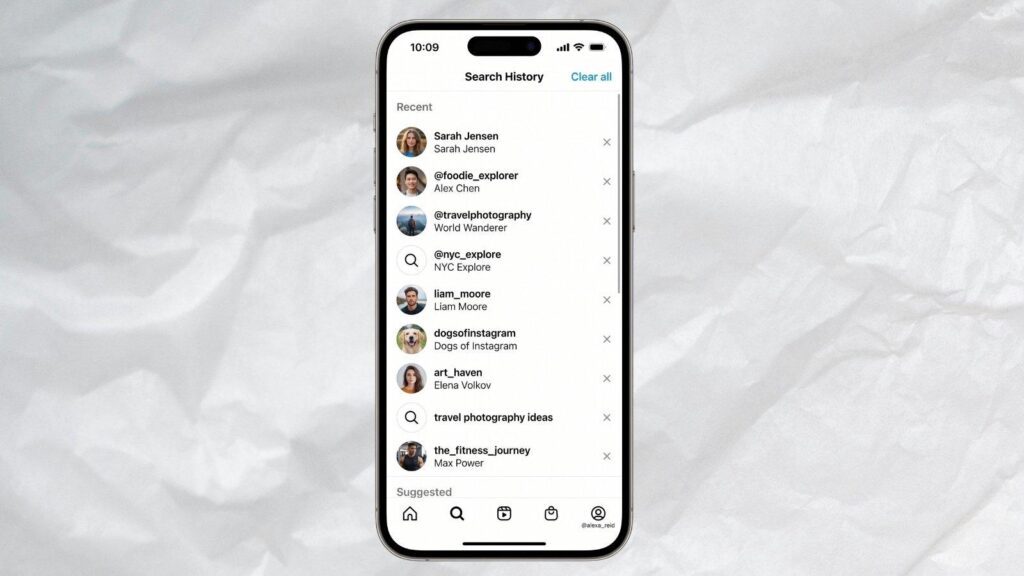
Clearing your recent searches removes them from your visible history, but note that Instagram’s internal data collection isn’t fully deleted by doing this. You’re clearing your personal view of the history, not Instagram’s broader activity log. On other social media platforms like TikTok, similar data practices apply, so this isn’t unique to Instagram.
What People Can See About Your Activity
While searches stay private, several other actions are fully visible. This is where people get caught, not from a search notification, but from an accidental interaction they didn’t think through.
Story views
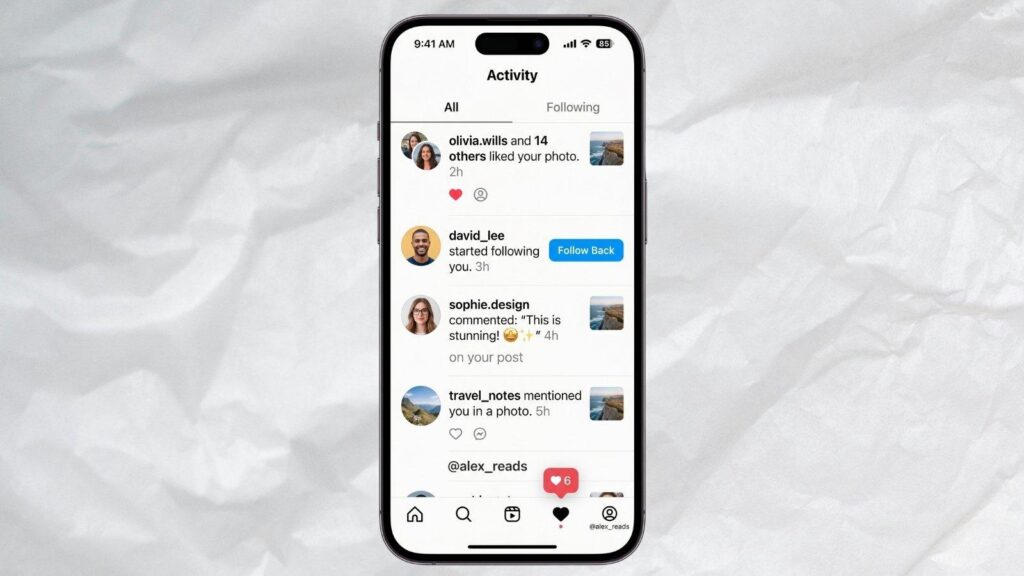
This is the most common way people figure out someone has been looking at them. When you watch someone’s story, your username appears in their viewer list for 48 hours. Even if you follow thousands of people, a person can scroll down and find you specifically. There’s no way to remove yourself from the list once you’ve appeared.
Likes and unlikes
If you like a post and then quickly unlike it, the person may still have noticed, depending on their notification settings. If they have push notifications enabled, the alert appears on their screen in real time, even if you unlike immediately after. The like disappears from their activity feed once removed, but the push notification on their phone? That one’s already been delivered.
Comments
Every comment you leave is permanently visible to the account owner and, on public posts, to anyone else who views that content. Even a simple emoji comment links your username directly to that page.
Follow and unfollow
Following someone sends an immediate notification. Even if you unfollow minutes later, the original follow notification stays in their activity log. Friends and approved followers of private account users can also see your follow request appear in their notifications.
Linked accounts activity
If you have linked accounts connected under the same Meta profile, some activity signals can cross between platforms. This is worth keeping in mind if you’re active on both Instagram and Facebook with linked accounts.
Common Myths That Keep People Paranoid
A lot of the anxiety around Instagram searches comes from myths that have circulated for years. Here are the most persistent ones, and the truth behind each.
Myth 1: “Instagram notifies people when you visit their profile repeatedly”
False. No matter how many times you visit a particular account’s page, they receive no alert. Instagram does not track or report repeat profile visits to anyone. Zero notifications, no matter how many times you tap through to their page.
Myth 2: “If I appear in someone’s ‘suggested followers,’ they know I searched them”
False. Instagram’s algorithm surfaces suggested accounts based on mutual friends, linked accounts, location data, and similar interests, not on specific search activity. Appearing as a suggestion to someone doesn’t mean they know you searched them, and vice versa.
Myth 3: “Screenshot notifications exist on Instagram”
False. Unlike Snapchat, Instagram does not send screenshot notifications for posts, profiles, or feed content. The only exception historically was disappearing photos sent via direct message, though even this feature has changed over time. Taking a screenshot of someone’s story or posts leaves no sign.
Myth 4: “Private accounts can see who viewed their profile”
False. A private account only restricts content to only their approved followers. The account owner still cannot see who visits their profile page. Switching to private doesn’t unlock any secret viewer tracking feature.
Myth 5: “Clearing your search history removes you from their suggested searches”
False. Your search history is personal to your account. Deleting it affects your experience in the Instagram app, not how you appear in anyone else’s search results or suggestions.
How Third-Party Tracking Apps Fit In
This is where a healthy dose of scepticism is genuinely helpful. A quick search on the internet turns up dozens of apps and websites claiming they can show you who searched your Instagram profile, who visited your page most often, or which specific people are paying attention to your content.
Almost all of them are misleading.
Instagram’s API does not provide individual profile search or visit data to any third-party apps. The data these apps claim to show doesn’t exist at the API level. There’s no way of knowing if someone viewed your Instagram profile, and there’s no feature within the app that sends alerts or provides a list of accounts that have viewed a particular profile.
What most of these apps actually do is pull from publicly available engagement data, likes, comments, story views, and follows, and present it in a way that looks like search tracking. It’s a repackaging of data you could access yourself, dressed up to appear more powerful than it is.
Red flags to watch for in any Instagram tracking tool:
- Claims to show “who searched you” or “who visited your profile” by name
- Requires your Instagram username and password to function
- Asks you to complete surveys or download additional apps to “unlock” results
- Promises access to private account content without following
There is one category of third-party tracking that does work and stays within ethical and platform boundaries: follower activity tracking on public accounts. This is real, available data that Instagram makes publicly accessible.
Recently-Followed are built on this principle. Instead of fabricating search data that doesn’t exist, the tracker shows you who any public account has recently followed, updated in real time, with no login and no risk to your account. It’s the honest version of Instagram activity tracking, and it’s genuinely useful for understanding someone’s behaviour without crossing any lines.
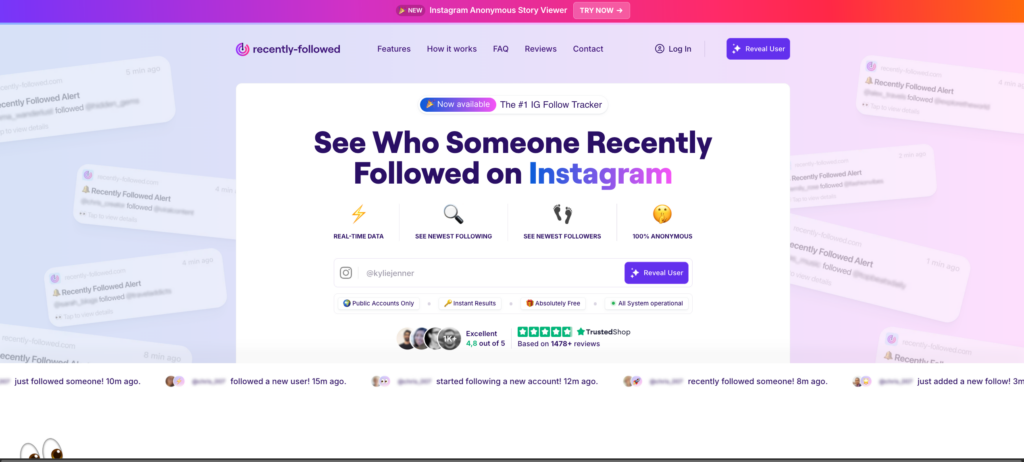
For a deeper look at how follower tracking actually works and what it can reveal, the guide on tracking Instagram followers covers the full picture. And if you’re trying to understand what’s visible vs. what stays private across the platform, the breakdown of Instagram follower viewer tools is worth bookmarking.
Bottom line: No app can show you who searched your Instagram profile, because that data doesn’t exist. Anyone claiming otherwise is either misleading you or harvesting your credentials. Stick to tools that work with real, public data, and you’ll never have to worry about compromising your own account security in the process.
Stop Guessing. Recently-Followed Shows What’s Actually Trackable.
Instagram keeps searches completely private, but that doesn’t mean everything on the platform is invisible. Knowing exactly what triggers a notification and what doesn’t puts you in full control of how you browse.
Key takeaways:
- Instagram never notifies anyone when you search their username
- Your search history is stored by Instagram, but never shared with other users
- Story views are the most common accidental giveaway
- Likes, comments, and follows all trigger immediate notifications
- No third-party app can show who searched your profile; that data doesn’t exist
- Clearing recent searches affects your view only, not Instagram’s internal data
What is trackable is public follower activity, and that’s exactly what Recently-Followed is built around. Instead of chasing data that doesn’t exist, it shows you who any public account has recently followed, in real time, completely anonymously. No searching required, no notifications triggered, no traces left behind.
FAQs About Instagram Notification
Can you tell who has searched for you on Instagram?
No. Instagram provides no feature to find accounts that searched you. There is no data, blog post, or contact at Instagram support that can provide this information.
Can you view an Instagram profile anonymously?
Yes. Visiting any public profile leaves no notification or trace. For example, scrolling posts or photos on a desktop or Mac stays completely private unless you interact.
Can someone tell if you look at their Instagram accounts a lot?
No. Repeat profile visits never trigger alerts. The only exception: viewing their story places your username in their viewer list immediately, with no way to remove it.
Will someone know if you looked them up on Instagram?
No. Looking someone up and visiting their page sends zero notifications. Create a habit of avoiding story taps if you want to stay completely undetected.
Does searching for someone on Instagram put you in their suggested?
No. Instagram’s algorithm may suggest you to others based on mutual connections or linked accounts, but not because of a specific search you made.

.webp)