



You’ve checked someone’s profile a dozen times this week. Now you’re wondering, can they tell? It’s one of the most Googled questions on Instagram, and the answer is more nuanced than most people expect.
Whether you open someone’s profile one time or visit it many times, they will not be notified. There is no Instagram feature that shows profile visitors or the number of visits. But that’s not the whole story. Here’s what this article covers:
- Whether someone can see who viewed their profile
- What Instagram does and doesn’t reveal by content type
- The truth about Instagram stalker apps
- How to legally track someone’s Instagram activity
Want to skip straight to what actually works? The tracker at Recently-Followed shows real follower activity on any public account, no guesswork, no shady apps.
Can Someone See Who Viewed Their Profile?
No. Instagram does not allow users to see individual profile visitors. Instagram consistently maintains that profile views remain private, unlike platforms such as LinkedIn. Recent 2026 updates focus on Reels enhancements, AI tools, and UI changes, but do not introduce profile viewer lists.
This is a deliberate design choice. Instagram prioritizes user privacy specifically to encourage anonymous browsing. If every profile visit left a visible digital footprint, people would stop exploring content freely, and the platform’s entire discovery model would collapse.
Here’s what Instagram does and doesn’t show when someone visits your profile:
| Action | Visible to profile owner? |
|---|---|
| Visiting your Instagram profile | No |
| Viewing your posts | No |
| Watching your Instagram Stories | Yes |
| Liking a post | Yes |
| Leaving a comment | Yes |
| Saving a post | No (total number only) |
| Sharing a post via DM | No (total number only) |
| Watching a Reel | No (total number only) |
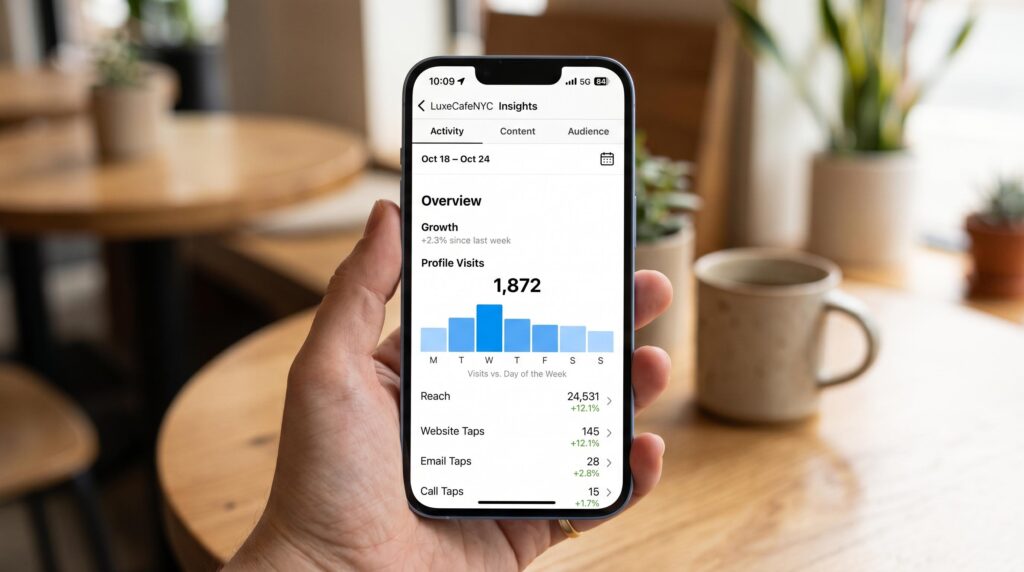
Business accounts can see the total number of profile visits through Instagram Insights, but visitor identities remain anonymous. This limitation applies equally to personal, creator, and business profiles.
So if you have a professional account and you’re checking Instagram Insights, you’ll see how many unique users visited your Instagram profile over the past 7 to 30 days. You will never see who they were.
The bottom line: Your Instagram presence is not visible to anyone who visits your profile quietly. The only way someone knows you looked is if you engage, like, comment, or watch their Stories.
What Instagram Actually Shows by Content Type
This distinction matters more than most Instagram users realise. Instagram isn’t completely opaque. There are specific places where visibility applies and specific places where it absolutely doesn’t. Knowing the difference tells you exactly how much someone can see about your activity.
Instagram Stories
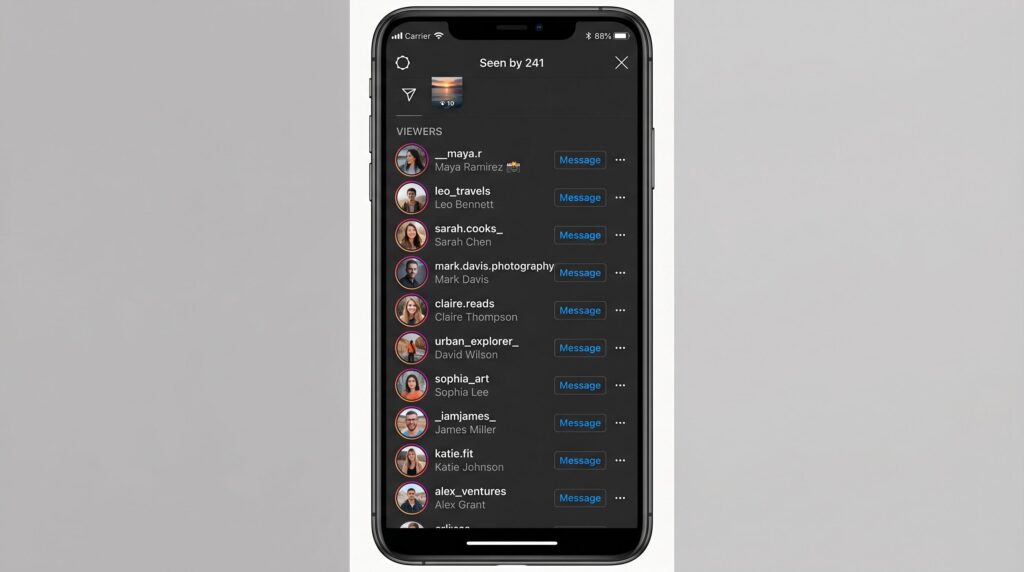
This is the only place on the platform where individual viewers are visible. When you post a new story, Instagram shows the account owner a full list of every person who watched it, for up to 48 hours after posting. Story viewers are visible directly by swiping up on the story or tapping the eye icon in the bottom left corner.
A few important caveats:
- Story views are visible to the poster only, not to other viewers
- If you watch a story without following the account, they can still see you watched it
- Once 48 hours passes, story views disappear from the live view, though some data remains in the archive for approved followers on private accounts
- Story highlights show views from the original story period only, not new views after the highlight is created
This is exactly why checking Instagram Stories anonymously is such a common search. Once you watch a story, you’re on the list. Full stop.
Reels
Reels show a total view count, visible to anyone who watches. But that total number is aggregate, meaning it shows how many times the Reel was played, not a list of who played it. The account owner cannot see which specific Instagram users watched their Reel, only the overall count and basic engagement data like comments, likes, and shares.
Regular Feed Posts
No individual profile visitors or viewers are shown for standard posts. The account owner sees likes and comments with usernames attached, but simply viewing a post leaves no trace. Saves and shares show as a total number in Instagram Insights with no names attached.
Instagram Live
Live videos are the one exception beyond Stories. During a Live session, the host can see who joins and who comments in real time. Once the Live ends, that visibility is gone unless the host saves and reposts it as a video.
Profile Visits via Instagram Insights
If you have a business or creator account, Instagram gives you some extra information through Instagram Insights, but it still does not show who viewed your profile. Business accounts and creator accounts can access aggregate profile visits data showing the total number of visits over a set period, broken down by follower vs. non-follower traffic. No names. No profile pictures. Just numbers.
Here’s a quick reference for every content type:
| Content Type | What’s Visible | Who Sees It |
|---|---|---|
| Profile visits | Total count only (business/creator) | Account owner only |
| Instagram Stories | Full list of story viewers | Account owner only, 48hrs |
| Feed posts | Likes and comments with names | Account owner + public |
| Reels | Total view count, no names | Anyone |
| Instagram Live | Active viewers and comments | Host, during Live only |
| Saves and shares | Total number only | Account owner only |
Instagram Stalker Apps: Do They Actually Work?
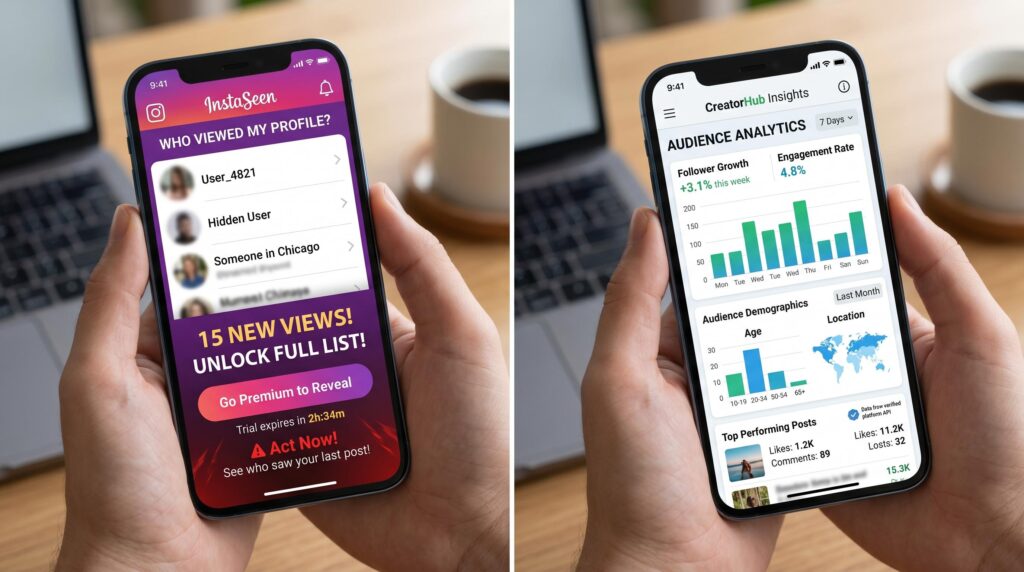
Most don’t work the way they claim, and some are outright dangerous.
Apps claiming to reveal profile viewers, profile stalkers, or a list of people secretly watching your account are making a promise that Instagram’s own system makes impossible. These apps violate Instagram’s terms of service and often require access that can compromise account security. Using them may result in data exposure, account restrictions, or permanent suspension.
Why can’t they deliver
Instagram’s API simply does not provide individual profile visitor data to third-party apps. It never has. Any app claiming to reveal profile viewers is either fabricating data, pulling from unrelated public interactions, or doing something far worse with your account credentials. The data doesn’t exist at the API level, so no app can legitimately access it.
Many Instagram stalker apps aren’t designed to provide any value. They exist to trick users into giving up their personal information through data harvesting, fake promises, and security threats, including malware or spyware installed on your device.
The red flags to watch for
Before you download anything claiming to show you your profile stalkers or individual profile visitors, check for these warning signs:
- Asks for your Instagram password or account credentials: No legitimate tool needs this. Instagram’s official login via OAuth is the only safe authentication method
- Promises to show private account content: Impossible without following the account and getting approved
- Claims to show “who viewed your profile”: This data does not exist in Instagram’s API, so any app showing it is fabricating results
- Requests access to your social media accounts or contacts: A major red flag for data harvesting
- No verifiable App Store or Google Play listing: Many of these tools only exist as websites, making them harder to hold accountable
What many third-party apps can legitimately do
Not everything in this space is a scam. There’s a meaningful distinction between apps claiming to show profile viewers and apps that provide actual, available analytics based on public follower data. Legitimate analytics tools can show you:
- Follower growth trends over time
- Who unfollowed you recently
- Who you follow that doesn’t follow back
- Engagement rate changes
- Suspicious accounts or bot-like followers in your list
These tools work with data that Instagram actually makes available, and the good ones do it without ever asking for your password or compromising account security.
How to Track Someone’s Instagram Activity Legally
If you’re trying to understand what someone is doing on Instagram, whether that’s a competitor, a brand you’re researching, or simply someone you’re curious about, there’s a legal and effective way to do it. It doesn’t involve stalking apps, account credentials, or anything that could get your account flagged.
The key is understanding what Instagram does make publicly available: follower activity on public accounts.
When an account is public, anyone can see:
- Their total follower count and following list
- Who they recently followed
- Their posts and engagement
- Their story highlights (though not who viewed them)
- Their profile picture and bio
This is the data that actually matters for understanding someone’s Instagram behaviour. And it’s completely legal to track because it’s public by design.
How follower tracking reveals real activity
The following list is one of the most revealing signals on Instagram. When someone follows a new account, it tells you something meaningful, whether that’s a brand discovering a competitor relationship, a researcher tracking an influencer’s network, or someone simply curious about a specific person’s connections.
The problem is Instagram’s algorithm scrambles the following list order based on engagement signals, making it nearly impossible to spot new follows manually. That’s exactly what Recently-Followed is built for.
Enter any public username, and you’ll see who that account has recently followed, updated in real time, completely anonymously. No login. No account credentials. No risk to your Instagram account or theirs.
This is the legitimate, privacy-respecting alternative to the shady stalker app ecosystem. It works with public data, it doesn’t violate Instagram’s terms, and it gives you genuinely valuable insights rather than fabricated profile viewers lists.
For a full breakdown of how follower tracking works in practice, the Instagram follower tracker page covers everything you need. And if you want to understand the broader patterns behind why people follow and unfollow, the guide on why people unfollow on Instagram adds useful context.
What to do if you’re worried about your own privacy
If the concern runs the other way and you’re wondering how to limit what others can see about you, Instagram gives you real control:
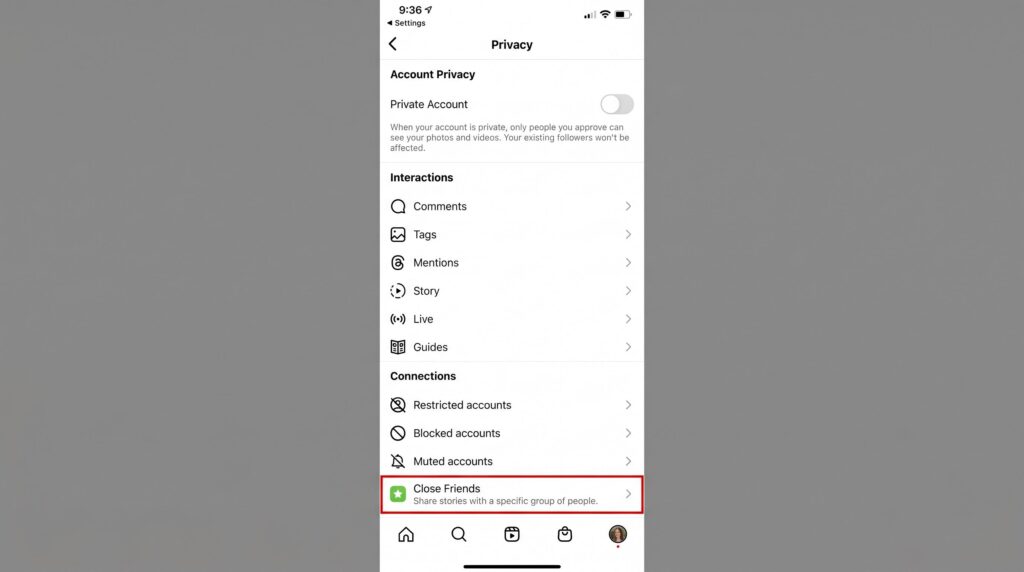
- Switch to a private account: This means only approved followers can see your posts, Stories, and following list. Non-followers see only your profile picture, bio, and post count
- Remove followers selectively: You can remove specific followers without notifying them
- Use Close Friends for Stories: Limit story views to a curated list rather than all followers
- Restrict suspicious accounts: Restricted accounts can still comment, but their comments are only visible to them unless you approve them
The distinction matters here: switching to a private account doesn’t make you invisible to everyone. It just limits who counts as an approved audience. Anyone already following you before the switch retains access unless you manually remove them.
Pro tip: If you’re a creator account or running business accounts and you want to track your own Instagram presence properly, use native Instagram Insights combined with a follower tracker for the full picture. That combination gives you engagement strategies grounded in real data, not guesswork.
Skip the Stalker Apps. Recently-Followed Gets It Done.
Instagram keeps profile visits private by design, and no app can change that. But understanding what is visible, and knowing where to look for real activity signals, puts you miles ahead of anyone still downloading sketchy stalker apps.
Key takeaways:
- Instagram does not notify users when someone views their profile
- Stories are the only content type that reveals individual viewers
- Business and creator accounts see profile visit counts, never names
- Most Instagram stalker apps fabricate data or compromise account security
- Apps claiming to reveal profile viewers violate Instagram’s terms of service
- Public follower activity is the only legitimate, trackable signal available
That’s exactly where Recently-Followed comes in. Instead of chasing profile viewers that don’t exist, it shows you what Instagram actually makes available: real-time follower activity on any public account, anonymously, with no login and no risk to your Instagram presence. It’s the smarter alternative to every stalker app you’ve ever considered downloading.
Questions About Instagram Stalker Answered
Is there an Instagram stalker checker?
No reliable Instagram stalker checker exists. Instagram profile views stay anonymous across all social media platforms. Use Instagram Insights for aggregate profile traffic data instead.
Can I see who saved my post?
No. Instagram shows a total save count in the top right corner of your Insights tab, but never reveals which multiple accounts saved your content.
Can you see who stalks your Instagram?
No. Instagram does not reveal profile stalkers. Focus on content quality and content creation instead. Access Instagram Insights for engagement trends, not individual visitor identities.
Can someone tell if you view their Instagram profile?
No. Instagram sends zero notifications for profile visits. The only exception: viewing someone’s story places your name in the bottom right corner of their viewer list.
Does Instagram show if you’re stalking?
No. Instagram never exposes anonymous browsing. Unlike other social media platforms, it prioritises user privacy over surveillance, so regular Instagram profile views leave no visible trace.

.webp)