You’ve spent months building your Instagram following. Now you want to back it up, analyze who’s engaging, or segment your audience for outreach. But Instagram doesn’t exactly make exporting your follower list simple.
Here’s the good news: you can export your Instagram followers in two straightforward ways. Whether you use Instagram’s official data download or grab results faster with an online tool, you’ll have a clean list in minutes.
Here’s what we’ll cover:
- Method 1: Using Instagram’s built-in data download feature
- Method 2: Faster export using online tracking tools
- How to keep your follower data private and secure
If you’re looking to track who someone recently followed or monitor follower changes in real time, Recently-Followed makes it dead simple. No login required, and you get instant results without the wait.
Method 1 — Use Instagram’s Official Data Download
Instagram lets you download all your account data, including your follower list. It’s free, secure, and comes straight from the source. The catch? It takes time and involves a bit of file conversion.
Step 1: Request your data via Instagram settings
Open Instagram and head to Settings > Accounts Center > Your information and permissions > Export your information > Create export > Export to device.
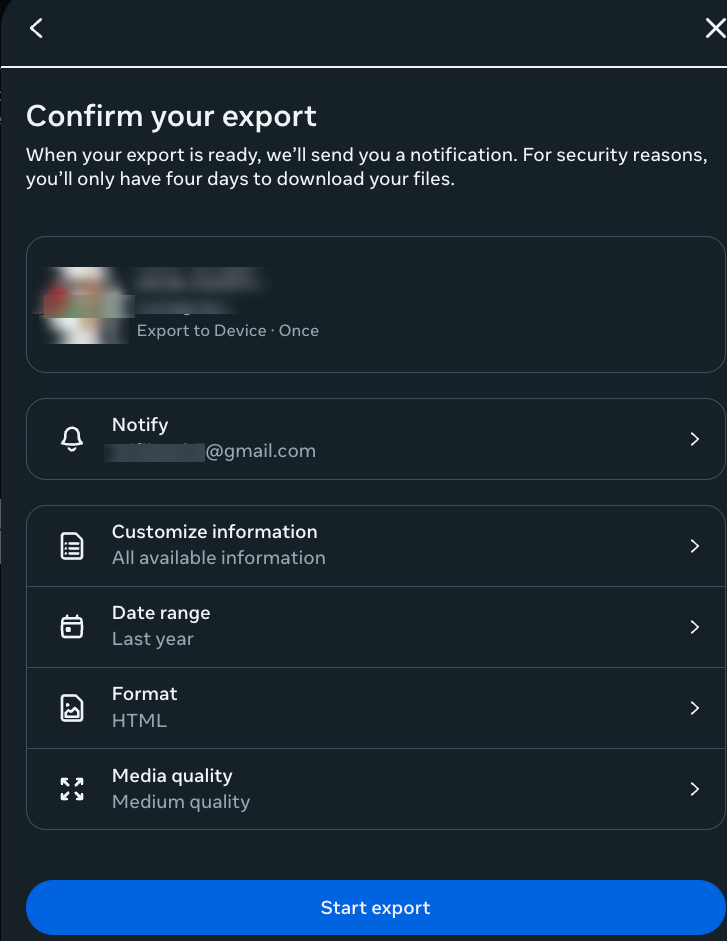
Instagram will send you a link within 48 hours (usually faster). This file includes everything: posts, stories, messages, and yes, your followers.
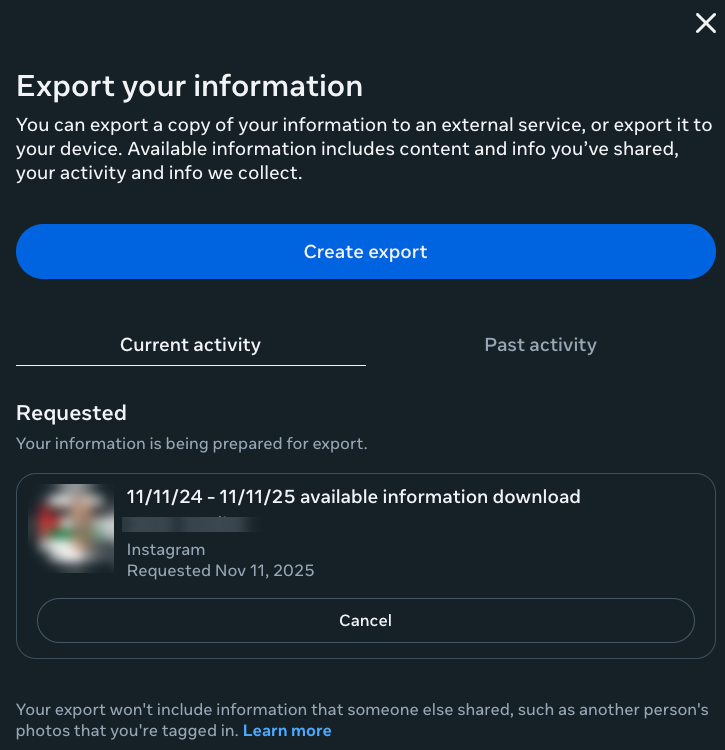
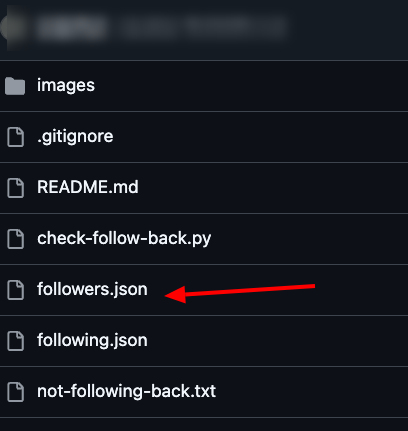
Step 2: Locate the followers.json file
Once you receive the email, download the ZIP file and extract it. Navigate to the followers_and_following folder. Inside, you’ll find followers_1.json; that’s your follower list in raw JSON format.
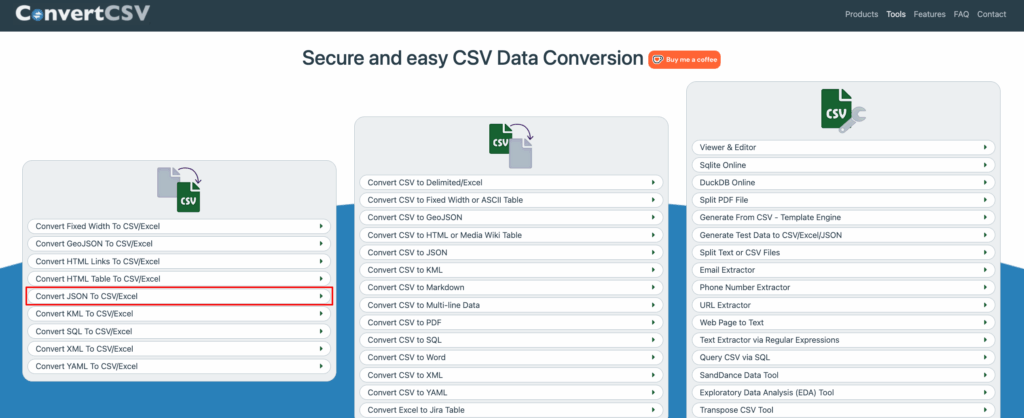
Step 3: Convert it to a readable CSV or Excel format
JSON files aren’t exactly user-friendly. Use a free converter like ConvertCSV or JSON to Excel online. Upload your file, convert it, and download the spreadsheet. Now you’ve got usernames in neat rows.
Step 4: Analyze and clean the data
Open your CSV or Excel file. Remove duplicate entries, filter inactive accounts, or sort by username. You can cross-reference this list with engagement metrics to spot your real audience.
This method works well for a one-time backup. But if you want to track follower changes or see who someone recently followed without the 48-hour wait, Recently-Followed gives you instant results with zero file juggling.
Method 2 — Use an Online Tool for Easier Export
Instagram’s official download works, but let’s be real, waiting 48 hours and wrestling with JSON files isn’t for everyone. If you want instant access to follower data without the technical headache, an IG follower export tool is your shortcut.
How Recently-Followed Simplifies Follower Tracking
Recently-Followed cuts through the noise. Instead of requesting data from Instagram and converting file formats in modern office apps, you get organized results in seconds. No browser extension needed. No Chrome extension to install. Just enter an Instagram username and you’re done.
The tool works with public accounts only, which means you can track followers and following counts for any public Instagram account without logging in. You’ll see verification status, profile picture URL, and even following counts in real time.
Step-by-step tutorial for using Recently-Followed
- Visit Recently-Followed.com

- Enter the Instagram username you want to analyze
- Hit the search button and let the tool extract Instagram followers instantly
- View newly followed accounts, followers, and following data, and profile details
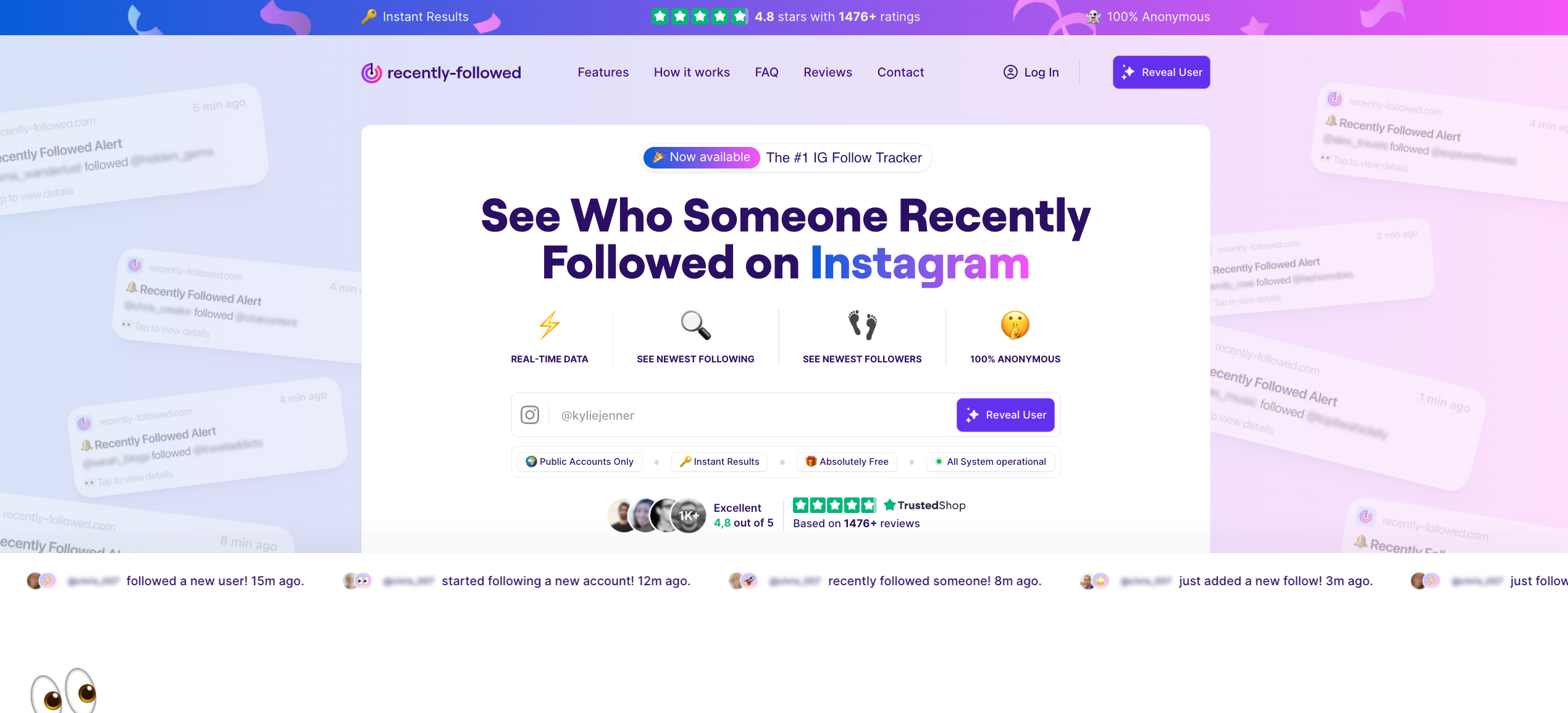
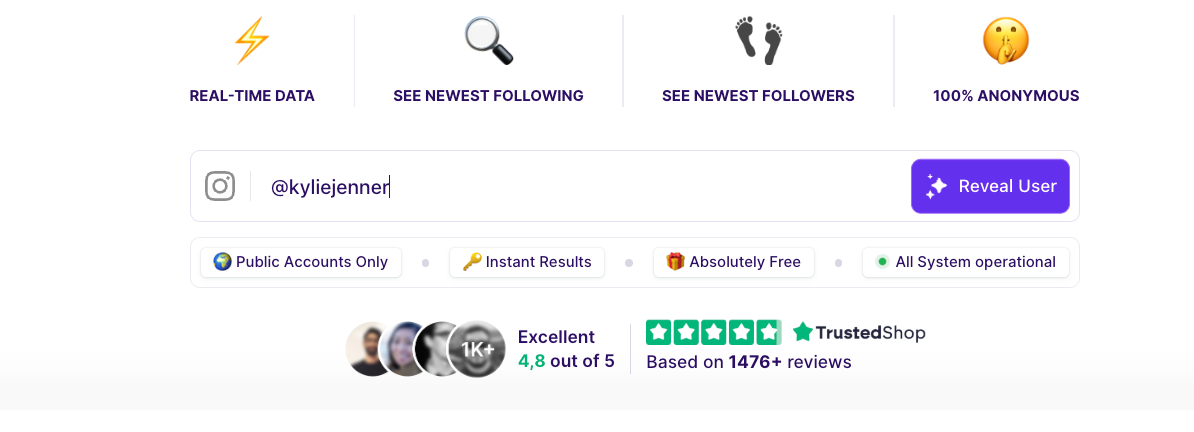
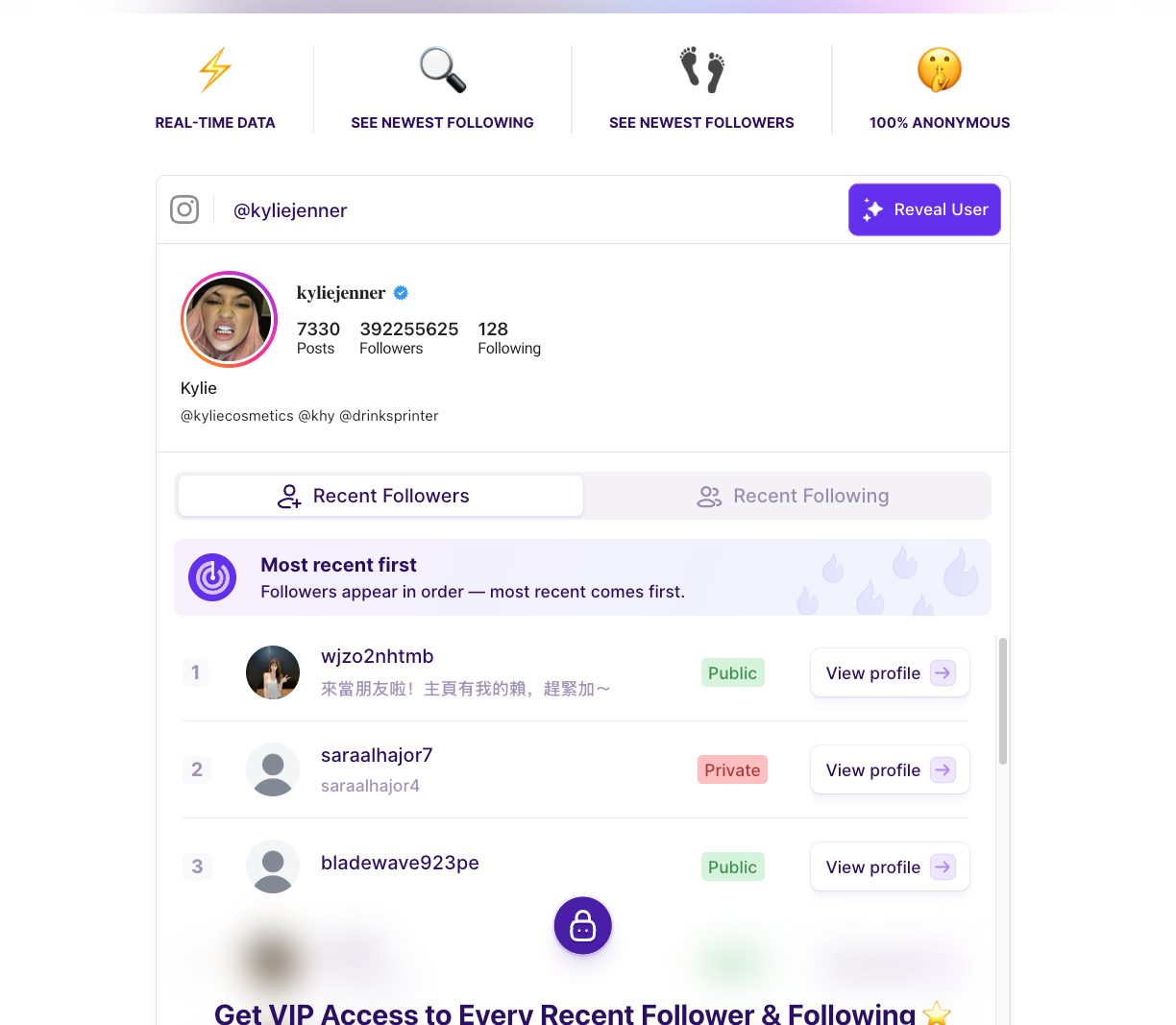
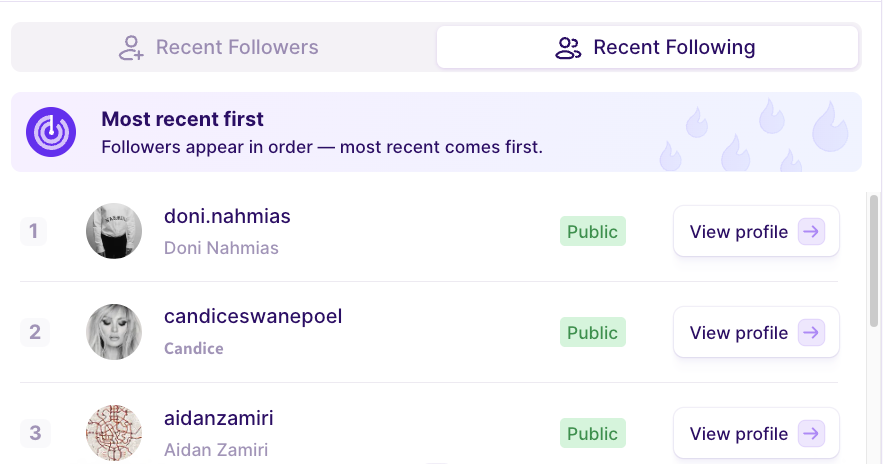
The export process takes seconds, not days. You can quickly export follower lists and track changes as they happen, no need to wait for Instagram’s data download or mess with a numeric Instagram ID.
Advantages: No Login, Quick View, Organized Data
Here’s why Recently-Followed beats the manual export:
- 100% anonymous tracking — no one knows you’re checking
- No Instagram login required — works without sharing your credentials
- Real-time data — see who they recently followed right now, not 48 hours ago
- Free access — no hidden fees or subscription traps
If you’re managing multiple Instagram accounts or need to monitor IG followers regularly, this follower export tool saves you hours. The start export process is instant, and all the data appears in a clean, skimmable format.
Tips for Keeping Your Follower Data Secure
Exporting Instagram follower data is powerful, but you need to protect that information. Follower lists contain usernames, profile URLs, and sometimes external URLs; data that scammers love to exploit.
Privacy Reminders
When you export followers from your own Instagram account, treat that file like you’d treat your password. Don’t share it publicly or upload it to sketchy websites. If you’re using an Instagram follower exporter or IG export tool, make sure it’s from a trusted source.
Store your downloaded IG followers list securely. Use password-protected folders or encrypted cloud storage. And if you’re tracking someone else’s public Instagram account (say, a competitor), remember that just because data is accessible doesn’t mean you should misuse it.
Avoiding Scams or Unsafe Apps
Not all export tools are the same. Some ask for your Instagram login; red flag. Others promise to extract user profile information but install malware via a fake browser extension. Here’s how to stay safe:
- Never share your Instagram password with third-party tools
- Avoid apps that require downloading software or browser extensions
- Stick to tools that work with public accounts only (like Recently-Followed)
- Check reviews and ratings before using any IG email extractor or Instagram followers scraper
- Read the fine print; if a tool says “use at your own risk,” proceed carefully
If an Instagram follower export tool asks for access to your account or wants you to click an export button that redirects to a suspicious site, bail. Legitimate tools that quickly export data don’t need your credentials.
Recently-Followed operates without login, so your Instagram data stays private. You’re not handing over passwords or installing anything; just entering a public Instagram username and viewing results. That’s how exporting followers should work.
Ready to Export IG Followers Effortlessly with Recently-Followed?
Exporting your Instagram followers and following doesn’t have to be complicated. Whether you use Instagram’s official download or skip the wait with an online tool, you now have two solid methods to back up and analyze your audience data.
Key takeaways:
- Instagram’s data download gives you a complete backup, but takes up to 48 hours
- Converting JSON files to CSV makes follower lists readable and easy to analyze
- Online tools like Recently-Followed deliver instant results without the technical hassle
- Never share your Instagram login with third-party apps, stick to tools that work anonymously
- Always protect exported data and avoid sketchy IG exporter apps that ask for credentials
If you want to skip the export process entirely and just see who someone followed, Recently-Followed is a must-have. Enter an Instagram username, and you’ll instantly view their Instagram profile details, verification status, post count, and newly followed accounts. No capturing details manually. No waiting. Just real-time Instagram followers and following data whenever you need it.
Top Queries Asked
Can you export Instagram followers?
Yes. You can request your data from Instagram or use an online tool to export followers to CSV in just one click. Both methods work for public accounts and give you access to followers or following lists.
Is the IG follower export tool safe?
It depends. Tools such as Recently-Followed are safe because they don’t require a login and only access public data. Avoid apps that ask for passwords or start parsing your private account details; those put your data privacy at risk.
What’s the best tool for exporting followers?
Recently-Followers is a game-changer. It shows followers’ following counts and profile details with one click. No installation. No waiting. Just instant results for including follower and following data on any public account.
Is exporting followers against IG’s terms?
Exporting your own data via Instagram’s download feature is perfectly fine. Using third-party tools on public accounts falls into a gray area; Instagram discourages scraping, but viewing publicly available followers or following lists isn’t explicitly banned. Use responsibly and respect data privacy.
How to extract someone’s Instagram followers?
For public accounts, enter their username into Recently-Followed and you’ll see their followers’ following list instantly. The tool will start parsing their profile data in seconds; no technical skills required. You can’t extract followers from private accounts unless they approve your follow request first.
Does the IG export tool notify?
No. Recently-Followed is 100% anonymous. When you check someone’s followers or following with one click, they won’t receive any notification. You can view their profile and track new followers without leaving a trace.



.webp)